Introduction
The launch of this iFi Audio iDSD PHANTOM took place at Tower Bridge on a cold, squally post-Christmas weekday. The launch party was ignited by several exciting events, the first of which was a hand-stirred gin Martini, having turned down the vodka Martini on offer. The next highlight was the product unveiling, which debuted with a pair of Active PMC Twenty5 24i loudspeakers. The final olives on the sides were the presentations by none other than Steve Levine (Baltic Jazz Records) and Producer Madison Claridge (Stand Alone Productions, including credits with Sam Fender and Lola Young).
This review is of the iDSD PHANTOM, not to be confused with the iCAN PHANTOM reference Headphone Amplifier that complements this product range, though notably without the streaming component; it does, however, come with many other (analogue) input options.
Design
The iFi Audio iDSD PHANTOM unites;
• a reference-class DAC;
• an ultra-resolution streamer;
• a powerful headphone amp into one box.
It is a simple reference class statement from iFi Audio.
The iFi Audio iDSD PHANTOM (PHANTOM, going forward) uses an in-house Crysopeia FPGA engine that enables DSD2048 remastering, leveraging technology developed in Japan’s mastering studios. It uses four Burr-Brown DSD1793s in a custom configuration to natively decode signals up to DSD2048.
The PHANTOM delivers three custom outputs in one, allowing the user to move between:
• Solid-State mode (where discrete J-FETs deliver lightning-fast precision);
• Tube mode (where hand-matched NOS GE5670s provide liquid smoothness) and;
• Tube+ mode (which pushes the tube character for golden-era warmth).
The brackets are iFi’s claims/descriptions! These modes will be familiar to those with experience of the iDSD Pro DAC.
In addition to these output modes, there is an established digital collaboration with JVCKENWOOD, allowing the PHANTOM to incorporate K2 and K2HD Technology, as seen in devices such as the Kensei GO Bar. This technology claims to restore harmonic content lost during production and/or digital encoding, apparently reviving the musicality of the original performance.
Moreover, the PHANTOM incorporates iFi Audio’s array of filters (five in total) and its XSpace and XBass technologies, all of which can be adjusted via a set of graduated controls. If you can’t find your sound with this product, you never will.
The PHANTOM has a huge 7,747mW of claimed peak output to power the most demanding of headphones, with a Gain function too as well as impedance matching for IEMs.
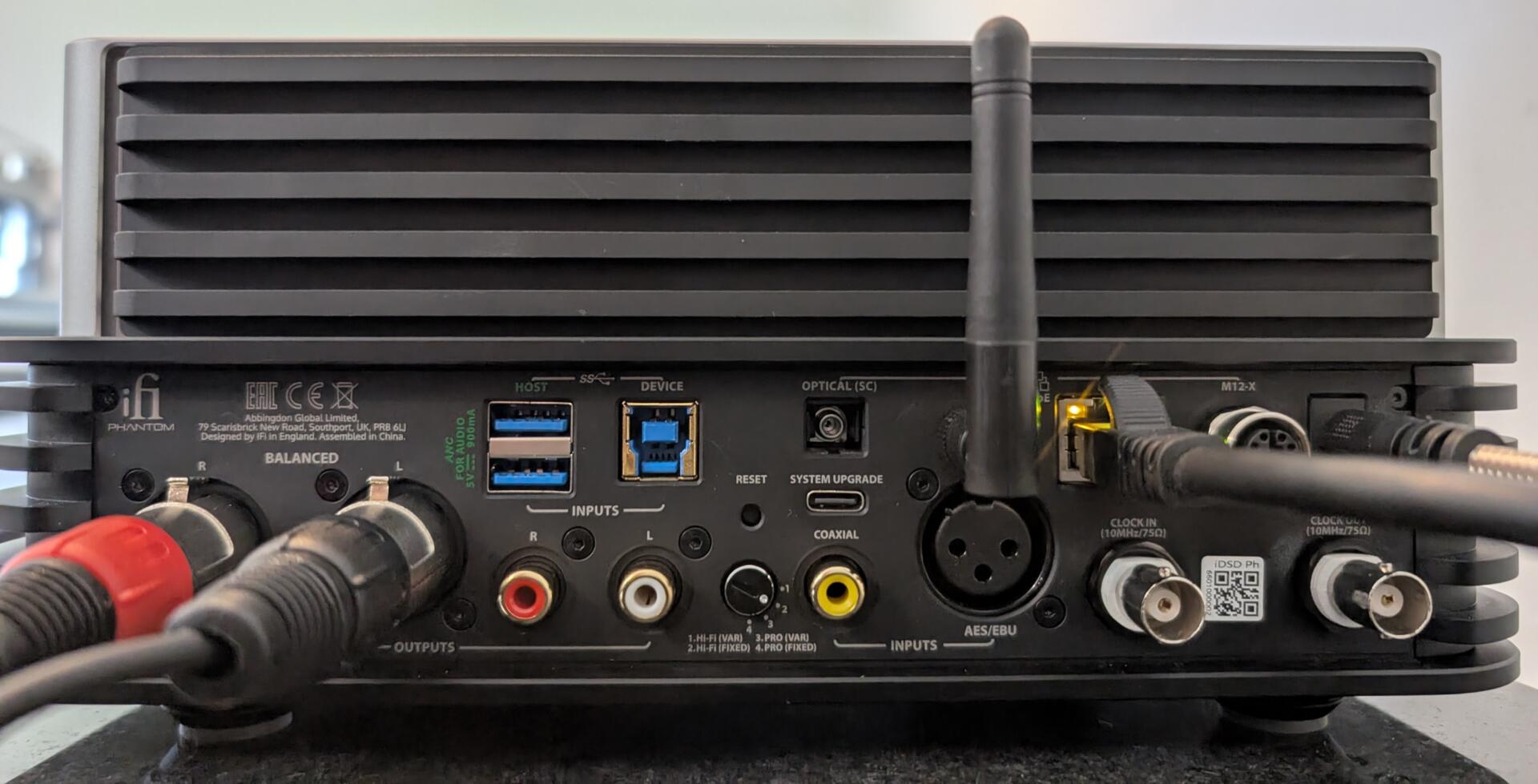
In terms of inputs, the PHANTOM is equipped with Qobuz Connect on the streaming side, alongside Tidal Connect, Spotify Connect, AirPlay 2, and others, including Roon, DLNA, and UPnP. Physically, on the input side, there are USB-B 3.0, USB-A and USB-C (HDD) inputs, as well as S/PDIF (coaxial), AES3 (XLR), RJ45, Optical and BNC (Sync in). It’s got the lot, basically. Note there are no analogue inputs, that’s iCAN territory.
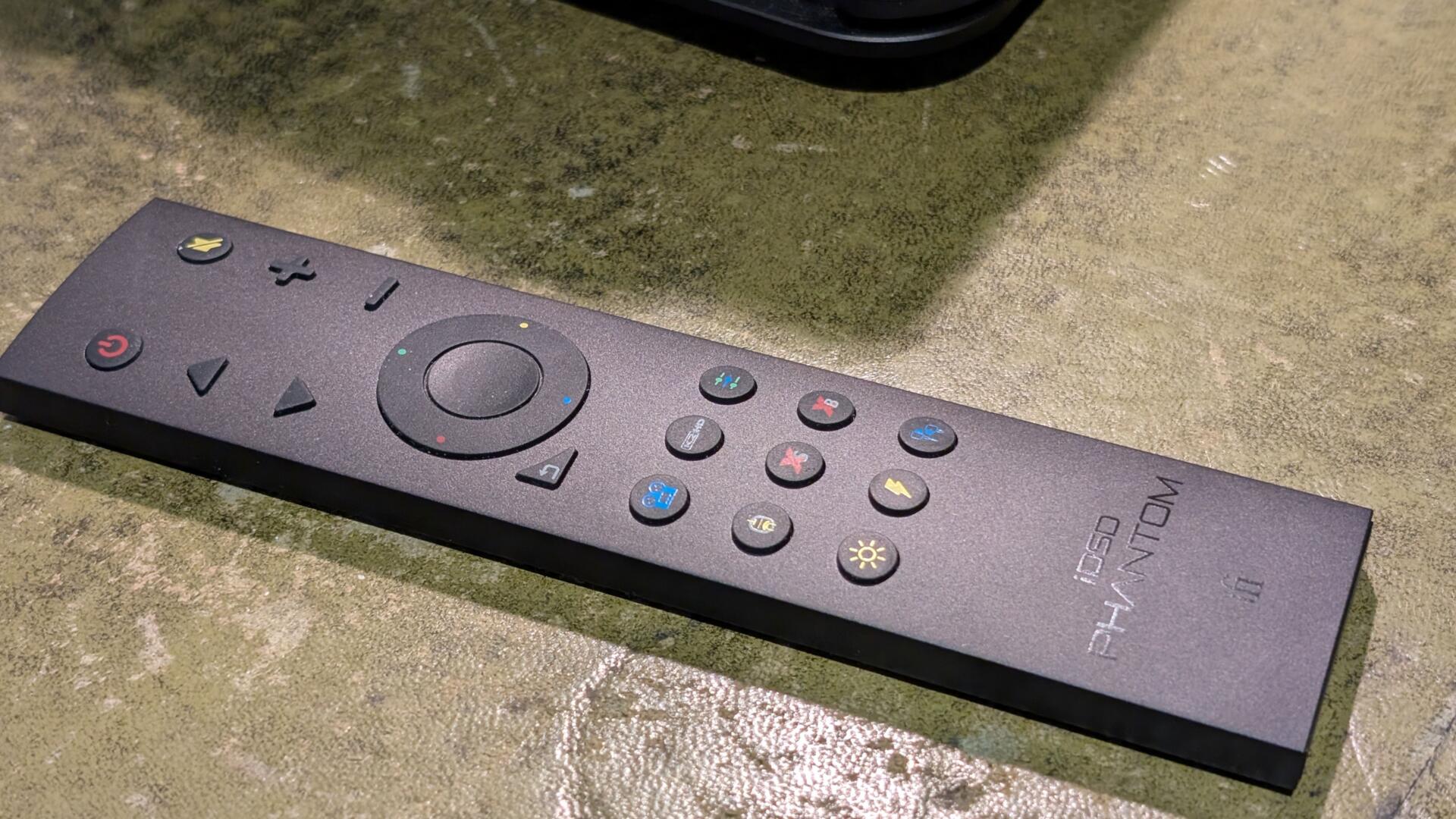
There is a very smart remote control that seems to control everything, including all the settings and filters. The iFi Nexis App replicates the remote control functions
Quality
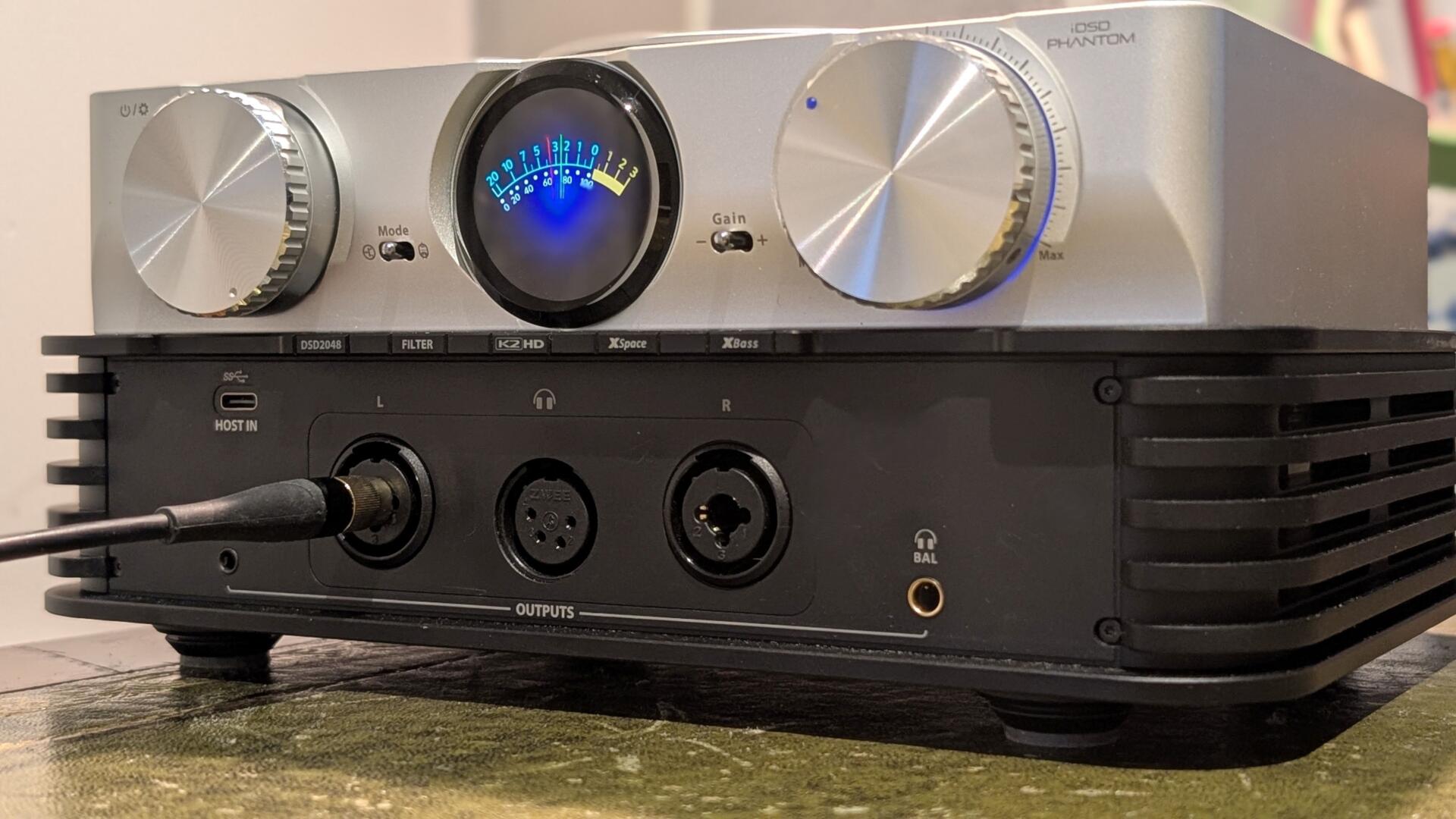
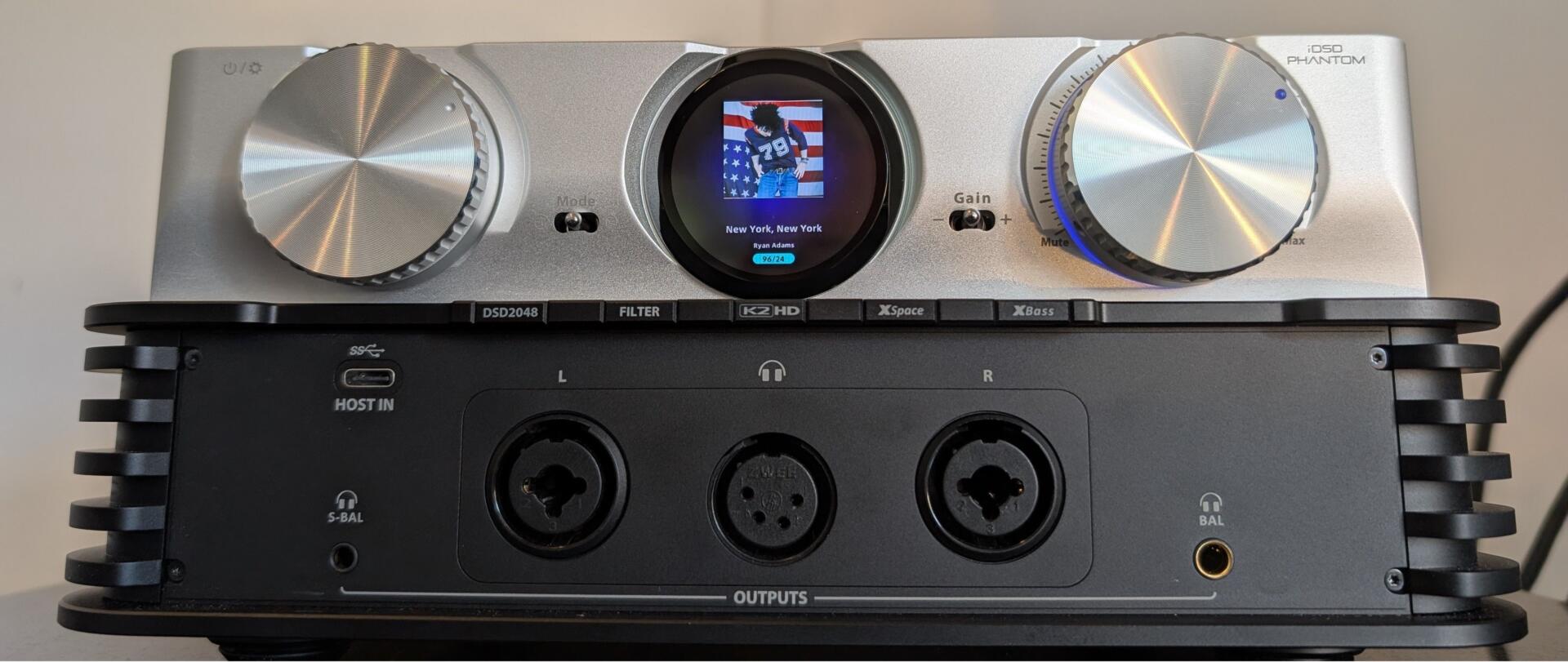
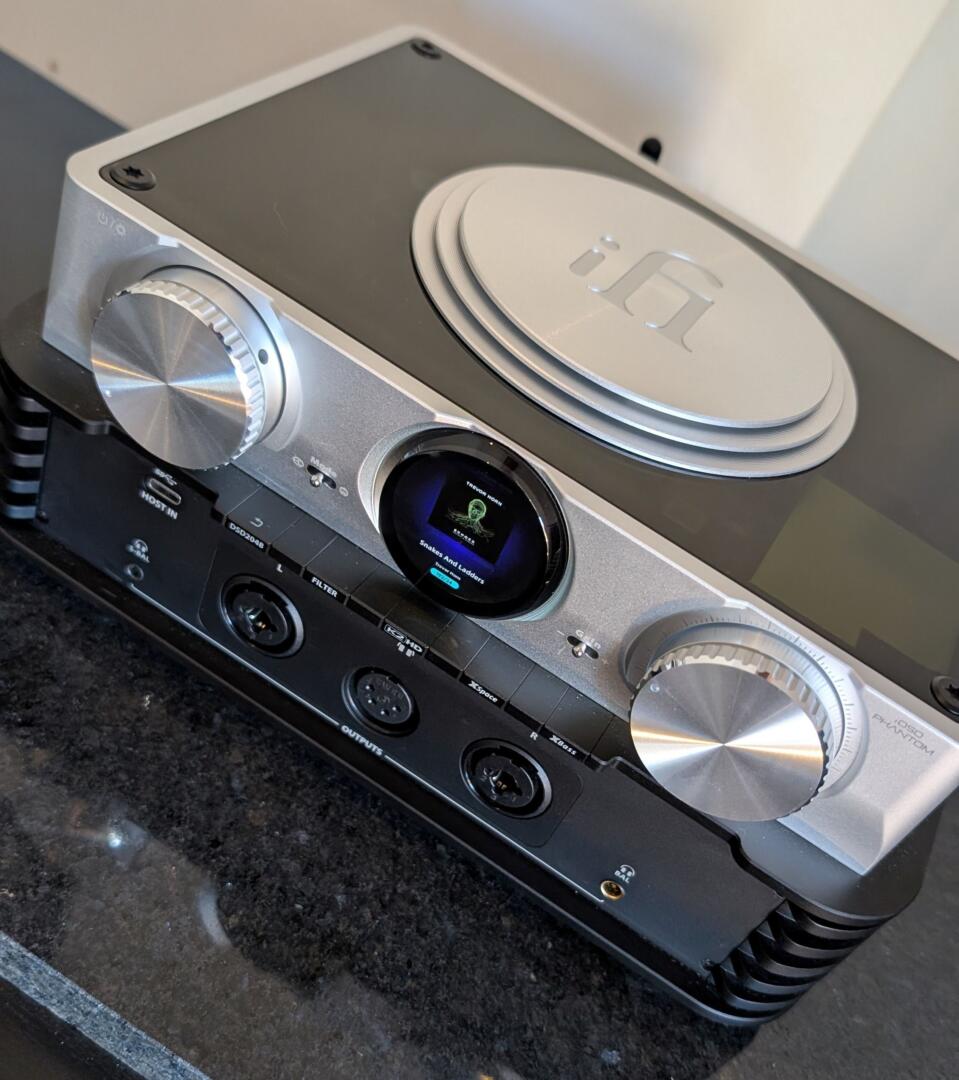
The device is weighty; it is beautiful with a deliberate two-part appearance. The lower portion manages inputs (mainly at the rear) and outputs (mainly out the front); the 2-channel RCA and XLR outputs are at the rear, and the headphones are at the front.
There is a magnetic fascia for the front of the device when not in use, which is cleverly magnetically attached at the rear when in use and dissipates heat.
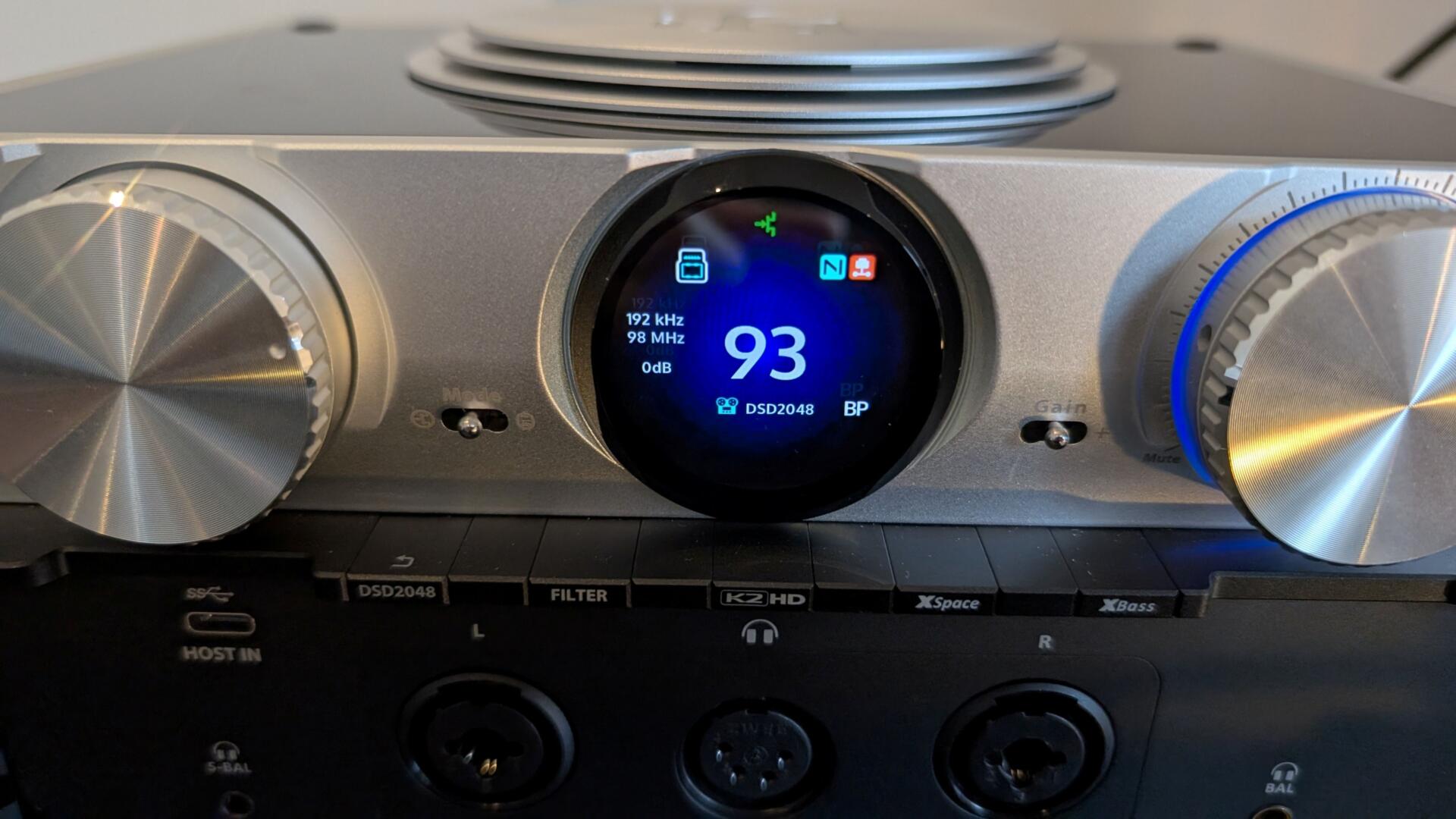
There is a porthole-style TFT display window that shows information on settings, volume, etc., and is functional and colourful. The volume and setting dials are on either side of the porthole; the whole experience is intuitive and very enjoyable indeed.
Specification and Price
IFi Audio iDSD PHANTOM – In the Box
1x iDSD PHANTOM
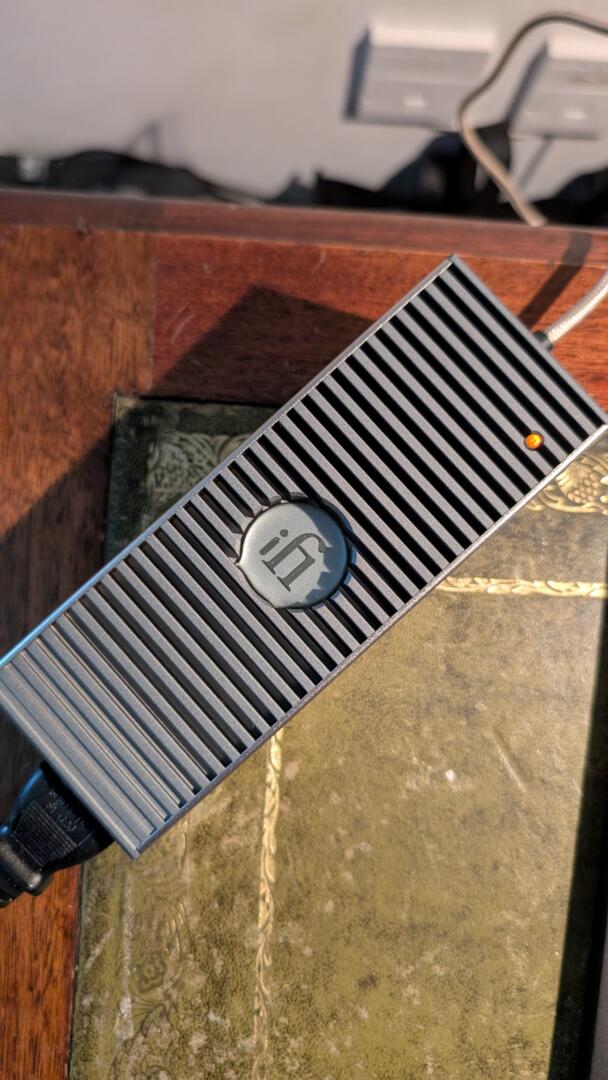
1x iPower Elite 15V
1x Infrared Remote Control
1x Optibox
1x RCA Cable
1x USB3.0 A to B Cable
1x Antenna
1x SC-SC Fibre Optic Cable
1x Quick Start Guide
1 Year Warranty Card
IFi Audio iDSD PHANTOM – Specification
BALANCED HEADPHONES RMS ≥4,676mW/17.3V (@64Ω); ≥564mW/18.4V (@600Ω)
BALANCED LINE OUTPUTS VRMS 0-4.5V (Hi-Fi); 0-18V (Pro)
DIGITAL INPUTS 1x USB-B 3.0; 2x USB-A (Host); 1x USB-C (Host); 1x S/PDIF (coaxial) 1x AES3 (XLR); 1x RJ45; 1x M12; 1x Optical (SC); 1x BNC (Sync in)
DIMENSIONS 256 x 185 x 120mm
DNR 10 20KHZ ≥116dBA @ 600Ω Balanced; ≥115dBA @ 600Ω Single-Ended
HEADPHONE OUTPUT 1x 3.5mm S-Balanced; 1x 4.4mm Balanced; 1x 4-pin XLR; 1x 3-pin XLR (L/R); 1x 6.3mm (positive phase); 1x 6.3mm (inverted phase)
Price – £4499 (Mar 2026)
Dealer – Click Here
Availability – Now
Full details are on the company’s site.


Performance
Review Equipment
I’m using mainly Meze Audio Elite headphones, as befits such a product. I’ve also run the device with Campfire’s Alien Brains and in 2-channel mode as the streaming DAC, with the fixed output connected to a preamplifier (see below).
I’ve mainly used Qobuz and Tidal Connect when online. With an internet interruption, I was using the USB-B input at the rear, which is excellent in conjunction with an Outstanding A&K SP3000M DAP, or my Wi-Fi-based Naim UnitiServe WAV library, which functions perfectly well without internet access.
Physically
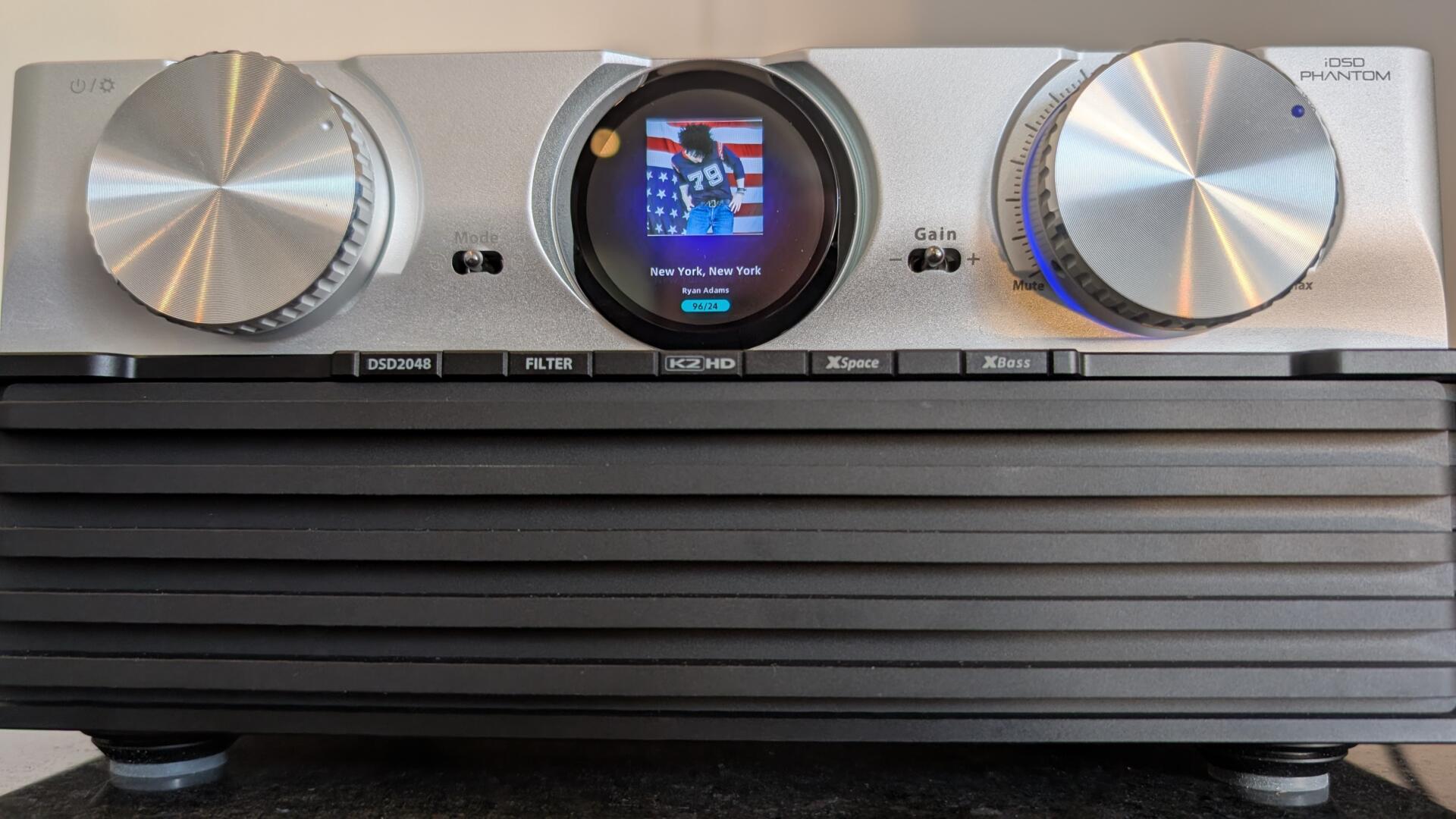
The device is very aesthetic in my view, particularly with the front cover on.
I have found the metal remote control to be excellent and very responsive. It covers everything on the (comprehensive) settings side as well as the volume.
The TFT (Thin-Film Transistor, like a matrix LED) ‘porthole display’ is functional and firmly desktop, but small. It displays bit rates, artwork, and the like if selected, and is otherwise fine. It is a welcome addition when choosing the settings, filters, XSpace, etc., and the interaction is totally intuitive and pleasing indeed. An HDMI output would serve those who display their file information on a TV screen these days.
There are a few display modes that include Cover Art (with Qobuz Connect, for example) or a selection of combined or stereo VU Meters, of course!
In the box is an iFi Optibox, an optical isolator, similar to the ADOT ONI-100 or the original ADOT data isolators. Interesting it comes as an instant upgrade with this device.
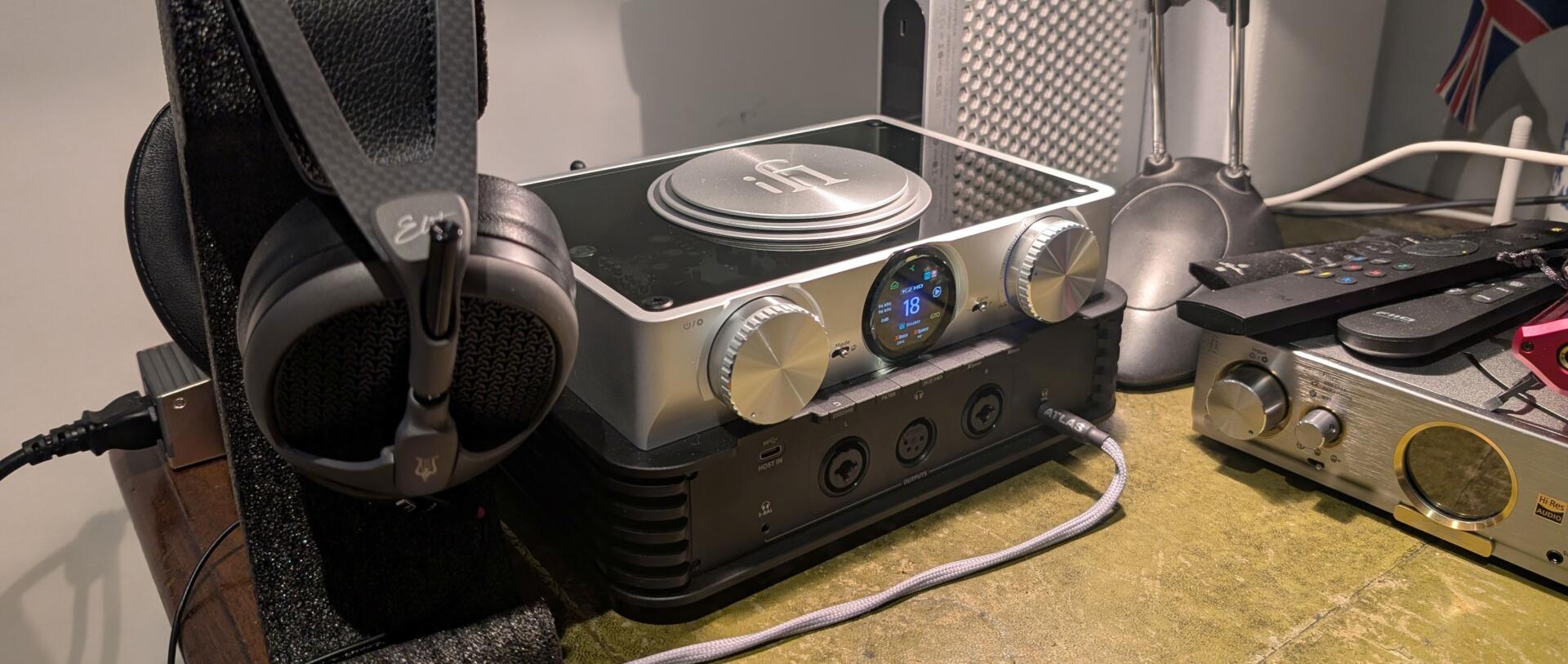
Meze Audio Elite balanced 4.4mm output with Atlas upgraded cable
This is just about perfect. At Bristol, I was commenting to a colleague that this whole immersive experience is like being in a recording booth in a studio, such is the silence that surrounds you, even with these open-backed headphones (in a quiet room, of course).
What do I get? Well, with, for example, a bit perfect WAV rip of Radiohead’s The Numbers on my offline library, there is depth, silence and a clarity that needs to be heard to be understood; the bass is tight and deep; the net effect is a dynamic, rhythmic experience that is beyond compare with these Elites.
Given that you can effectively tailor the sound signature to your needs with a plethora of up-sampling and filtering options, this review becomes about distortion, precision, resolution, the pace of delivery, and the user experience.
In summary, I’ve heard zero distortion, and the digital files I am using are as clean and precise as you’d need if you use no filters anywhere and the Bit Perfect, default filter.

Solid State v Tube
If you listen to the likes of Electioneering (16-bit WAV Rip, local library) by Radiohead, the solid-state delivery is vigorous, clean and detailed in short bursts, tube mode rounds out the instrument edges and has that more organic feel. With something like a pair of very relaxed (anyway) Beyerdynamic open-backed DT900 Pro Xs that are so laid back, you need a more precise delivery, and they benefit from a solid-state choice with this type of track; this is what you get with this device. The ability to tailor the sound to your headphones is a real feature, and I have to say I change my preference each time I go in! Some memory setting buttons would be helpful if you have many different headphones.
Alien Brain
I thought a quick run out with the Campfire Alien Brains was in order. These are easy-to-drive hybrid IEMs at 7.8 Ohms. Using the iE Match adjustment with the remote allowed me to drop the Gain by either -12 or -24 dB. I chose the latter at first, just to make sure.
These lively IEMs are good enough to derive the differences on offer between the output modes and, to an extent, the filters.
Astell&Kern SP3000M
Using an Atlas Mavros USB A-B cable with a USB-C-A adaptor puts the A&K at your fingertips on the desktop, and it is a nice option. It feels a bit cleaner than using the laptop, though the upgrade is marginal. This, though, is an excellent option if your internet dies on you in the middle of a review!
It would be nice if the USB-C input at the front worked with the A&K (or another smartphone, say) output, but it doesn’t; it is for HDD input only, apparently. Inserting a flash drive containing a bit of In Rainbows works smoothly and cleanly. The streaming section in the App is rudimentary but useful.
With the SP3000M on the network and the iDSD Phantom in Ethernet mode, the SP3000 can throw music to the PHANTOM as an AK Speaker; this is also something quite useful. Qobuz Connect from the PC is nice too, as below.
Triangle Capella 2 Active
At the launch of the iDSD Phantom, iFi Audio presented the device with a pair of Active PMC Twenty5 24i loudspeakers. Overall, this was an impressive presentation, giving an insight into the preamplifier stage inside. Since I had the opportunity to receive the latest Triangle Capella 2 Active loudspeakers, I’ll leave a comment below once I have had the chance to set them up properly.
Moor Amps Angel 6
Towards the end of the review, with internet connectivity restored, I have moved the PHANTOM into my review listening space, using the Moor Amps Angel-Pre and Angel 6 power amplifier.
I have chosen a fixed output at the rear. This is a very useful function for me with a preamplifier, and I have used this frequently with the iDSD Pro, which had been my principal DAC for several years until the manaDAC arrived. The fixed-output Pro is a chunky 11.2V offering a strong signal, and appears to overpresent the output in my experience. For example, the XBass goes rather muddy with the Fixed Pro option (11.2V), whereas the Fixed Hi-Fi option (4.6V) appears to subtly enhance the bass as I’d expect, and it works well.
A quick chat with iFi confirms the PHANTOM’s Pro fixed output is rather punchy, so I’ve ended up switching to the HiFi fixed output at the rear instead. When I do this, Dylan’s Hurricane fills out nicely with XBass. XSpace does a bit less for me and is harder to discern, but it does adjust the output to some degree.
For me, the PHANTOM is stepping into the excellent shoes of both the Eversolo DMP-A6 streaming transport and a Moor Amps manaDAC. The PHANTOM in this context, can be whatever you need it to be and that is what this. It has the added benefit of being a clean streaming solution and a headphone solution, flavoured as required.
Everything else is fine, with my Melco Library working through the PHANTOM. It is an excellent hub in this system, with the added benefit of a premium headphone solution second to none.
And so, it is time to relax, go to Qobuz Connect, and play the radio selection mix of Arooj Aftab’s raat ki rani Khruangbin remix . Perfect.
Nexis App
There is an App for setting up and adjusting the settings, and it includes a streaming function too. It is excellent, generally. The App controls other compatible iFi products, which is useful. I had to update the PHANTOM to system version 2.03.00 for this to work properly, and that took a minute or so.
I discussed with the iFi tech support a preference for a few memory settings in the App for different headphones, different setups, etc. This seems to a sensible update, watch out for that, there are no promises though.
Thoughts
I think this PHANTOM is, basically, amazing. The sound can be tailored to your preference, your music (Electioneering), your headphones (Beyerdynamic) or your system (Moor Amps). It’s a musical curry if you like. My preferred DAC is the Moor Amps manaDAC, a bit like a creamy Goan curry. The FiiO K19 headphone amplifier DAC is a spicy Dansak. This PHANTOM can be just about any flavour you like. Like most curries, the base is the same: precision, pace, and low distortion, but the flavour is your choice: tubes, filters, upsampling, etc.
The key thing I like is the ease of use, particularly on the desktop, but also with the remote into a conventional 2-channel setup.
Given the flexibility, you need to ask yourself what you might want it for. That question could be in the realms of anything from headphones to a 2-channel streaming preamplifier. When you’ve done that, the answer is probably yes, the iDSD Phantom is the answer. It does the lot if you can afford it.
Overall
I particularly like the ease of use of this PHANTOM and the idea that, from a base of precision, pace, and low distortion, you can obtain the sound that suits your needs and moods at any time.
If you’re after a comprehensive solution to headphones, streaming and a reference-class DAC, the PHANTOM has it all, with no compromises, anywhere.

IFi Audio iDSD PHANTOM Highlights
Love
- Reference Delivery
- Ease of Use
- Flexibility
- Qobuz Connect, Tidal Connect
Like
- Remote Control is very tactile and comprehensive
- App is decent
Wish
- HDMI data out
- USB-C input at the front
Related Posts
IFi Audio GO link 2 details released

Ifi Audio has announced details of its GO Link 2,…
iFi Audio GO Blu Air trip to the Ashmolean Museum
The iFi GO Blu Air is a simple Bluetooth dongle…
iFi Audio Valkyrie – Flagship Portable DAC with DSD Remastering
Looking like the rear diffuser of a hyper-fast…

Best of 2024 Concludes with Outstanding Product of the Year
The HF&MS Best of 2024 Awards Season concluded…